




Monitor Controllers vs Speaker Processors
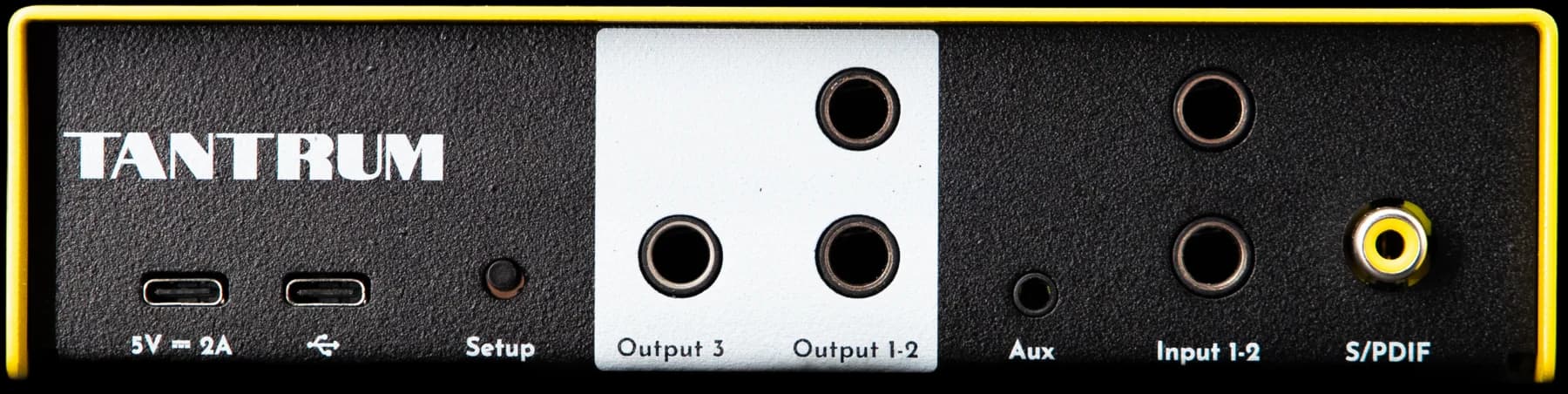
A monitor controller and a speaker processor sit in the same part of the signal path and do different jobs. The controller chooses which source you are listening to and sets the level, ideally without degrading the signal. The processor changes the signal, applying crossover, filters, delay and per-output gain so the speakers and the room behave. Products increasingly do both, which is convenient and makes the categories easy to confuse when shopping. This guide separates them and helps you work out which one your setup is actually missing.
What Each One Does
The distinction is about whether the box is trying to change the sound.
- Monitor controller
- A device that selects between sources and sets monitoring level, usually with mute, mono and dim, and often a headphone output. Its design goal is to do that without altering the signal.
- Speaker processor
- A device that applies crossover, equalisation, delay and per-output gain to correct the loudspeakers and the room. Its design goal is to alter the signal in a measured, specified way.
A controller is judged on transparency, channel balance across the volume range, and how many sources and speaker pairs it handles. A processor is judged on latency, filter count, delay resolution and noise floor. Almost none of those overlap, which is why the two are difficult to compare directly.
Which Problem Do You Have
Read your complaint rather than the product categories.
| What you notice | What you need |
|---|---|
| Unplugging cables to switch between the interface and something else | Monitor controller |
| No easy mono or dim button | Monitor controller |
| Wanting to A/B two pairs of monitors at matched level | Monitor controller |
| The low end is uneven and moves when you move | Room treatment, then a processor or correction software |
| The subwoofer never quite locks in with the mains | Speaker processor, for the crossover and the delay |
| The two monitors do not image centrally | Processor, for level and time alignment, after checking placement |
| Correction that applies to a console and a turntable as well as the computer | Speaker processor |
Where They Overlap
Plenty of hardware does both, and there is nothing wrong with that as long as you know which half you are buying.
A combined unit usually means a digital volume control, which is fine when it is implemented with enough headroom and bit depth, and source selection that happens before the DSP. The question to ask is whether the processing half is specified for studio use. A unit with excellent switching and a PA-grade converter stage is a monitor controller with a processor attached, and it will be audible as noise rather than as correction.
Our own NEXUS is a speaker processor and switcher. It selects between analogue, S/PDIF and USB sources and applies the correction, which puts it in the overlap deliberately. What it is not is a monitor controller in the classic sense of a passive attenuator with a big knob.
Do's and Don'ts
- ✓Work out whether your complaint is about routing or about sound before you shop.
- ✓Check channel balance on a passive controller at low volume, where cheap potentiometers drift apart.
- ✓Check the processing half of a combined unit against studio specifications, not PA ones.
- ✓Put the processor after the source selection, so every source is corrected.
- ✓Keep a hardware mute or dim available. Software volume is not a substitute when something goes wrong.
- ✕Do not buy a processor to fix a routing problem, or a controller to fix a sound problem.
- ✕Do not use a DAW's master fader as your monitoring volume control. It changes the signal you are printing.
- ✕Do not assume a combined unit does both halves well. One of them is usually the reason for the price.
- ✕Do not add a second gain stage you do not need. Every extra active stage is noise you cannot remove later.
- ✕Do not correct with a processor before checking speaker placement. The processor cannot move the speakers.
Frequently Asked Questions
Do I need a monitor controller if my interface has a volume knob?
Usually not, if you have one source and one pair of monitors. A controller earns its place when you have several sources, more than one pair of speakers, or want hardware mono and dim without reaching for the mouse.
Can a speaker processor replace a monitor controller?
Only if it also does source selection and gives you a usable level control. Many processors are designed to be set up and left alone, with no front-panel volume at all, which makes them poor controllers.
Is a passive monitor controller better than an active one?
A passive controller adds no noise and no gain, which is an advantage, and it can load the source and interact with cable capacitance, which is a disadvantage. For short cable runs and a professional interface, passive is usually clean and simple.
Where does room correction software fit in?
It does the processor's job inside the computer. That covers everything playing on that machine and nothing else, which is enough for many setups and not enough if you listen to other sources.
Should the processor go before or after the monitor controller?
After the source selection and before the monitors, so that everything you can select gets corrected. If the controller is passive and last in the chain, put the processor ahead of it.
Conclusion
Decide from the complaint rather than the category. Routing and level problems are monitor controller problems; sound, crossover and timing problems are processor problems. Combined units are reasonable if the processing half is specified for a studio rather than a stage. The limit worth stating: neither box moves a speaker or absorbs a reflection, so placement and treatment come before either of them.
Sign up to hear more when we release something new


